
Head of Product
Camila Bedretchuk
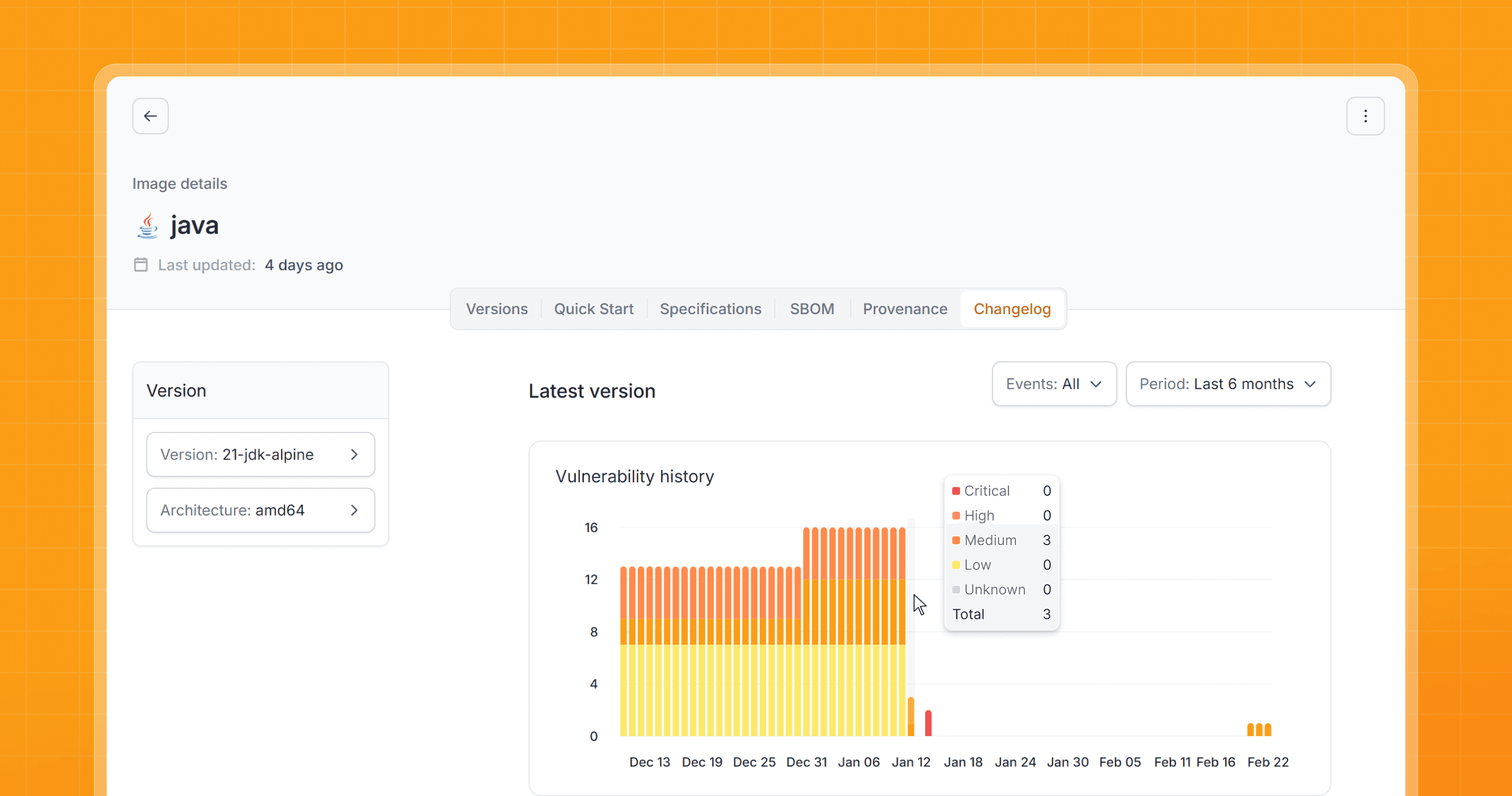
Responding consistently is not always simple in modern infrastructures. The difficulty lies not only in fixing vulnerabilities (CVEs) but in correlating evidence throughout the history of changes.
When this correlation depends on manual steps, spreadsheets, and transfers between teams, the trail becomes slower to build and increases the risk of inconsistencies and operational errors.
It is exactly this friction that the Quor Changelog was created to reduce.
Quor Changelog
The Quor Changelog was created to centralize the technical history of catalog images in a searchable view, focusing on events relevant to operations (digest), security (CVEs), and compliance routines (SLA).
Instead of manually reconstructing the timeline of an image, the team consults the evolution of vulnerabilities, fixes, and digest publications in a single place, linked to the artifact and the corresponding version.
In day-to-day operations, this helps to respond with more clarity:
when a CVE was detected.
when a fix was applied.
which digest replaced the previous one.
whether the fix SLA was met.
Why this matters
-> Operational clarity (digest and version)
With frequent image rebuilds, accumulation of variants, and tag changes, the reference can become ambiguous. The Changelog helps the team to consult the history linked to the digest and the corresponding version.
-> Evidence of fix timeframe (SLA)
The Changelog records and displays when a CVE was detected and when the fix was applied, allowing the team to consult evidence of timelines in audits and compliance routines, such as in PCI DSS. scenarios.
-> Agility and provenance of information
The record is organized in the interface, reducing dependence on spreadsheets, ITSM, and manual correlation between teams. This decreases rework and improves trust in the source of information used in operations, security, and auditing.
How it works in Quor
The Changelog organizes this trail into three fronts: analysis scope, timeline of events, and link with the artifact and version.
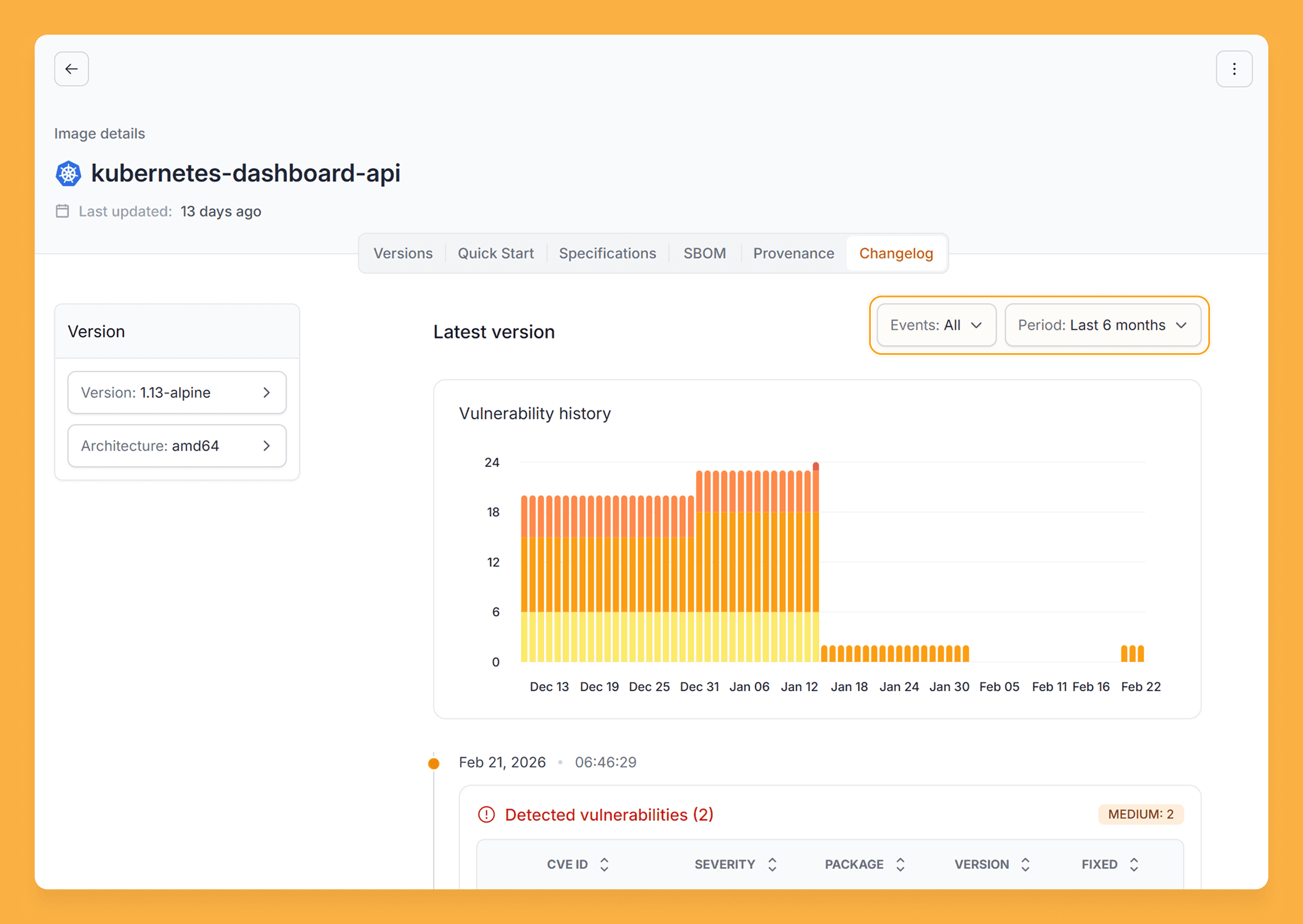
1) Scope (Events + Period)
The first step in the Changelog is to define the analysis scope.
In Events, you select the type of event: All, Digest, or Vulnerability..
In Period, you select the consultation range, from the current month to the last 6 months.

Quor Newsletter
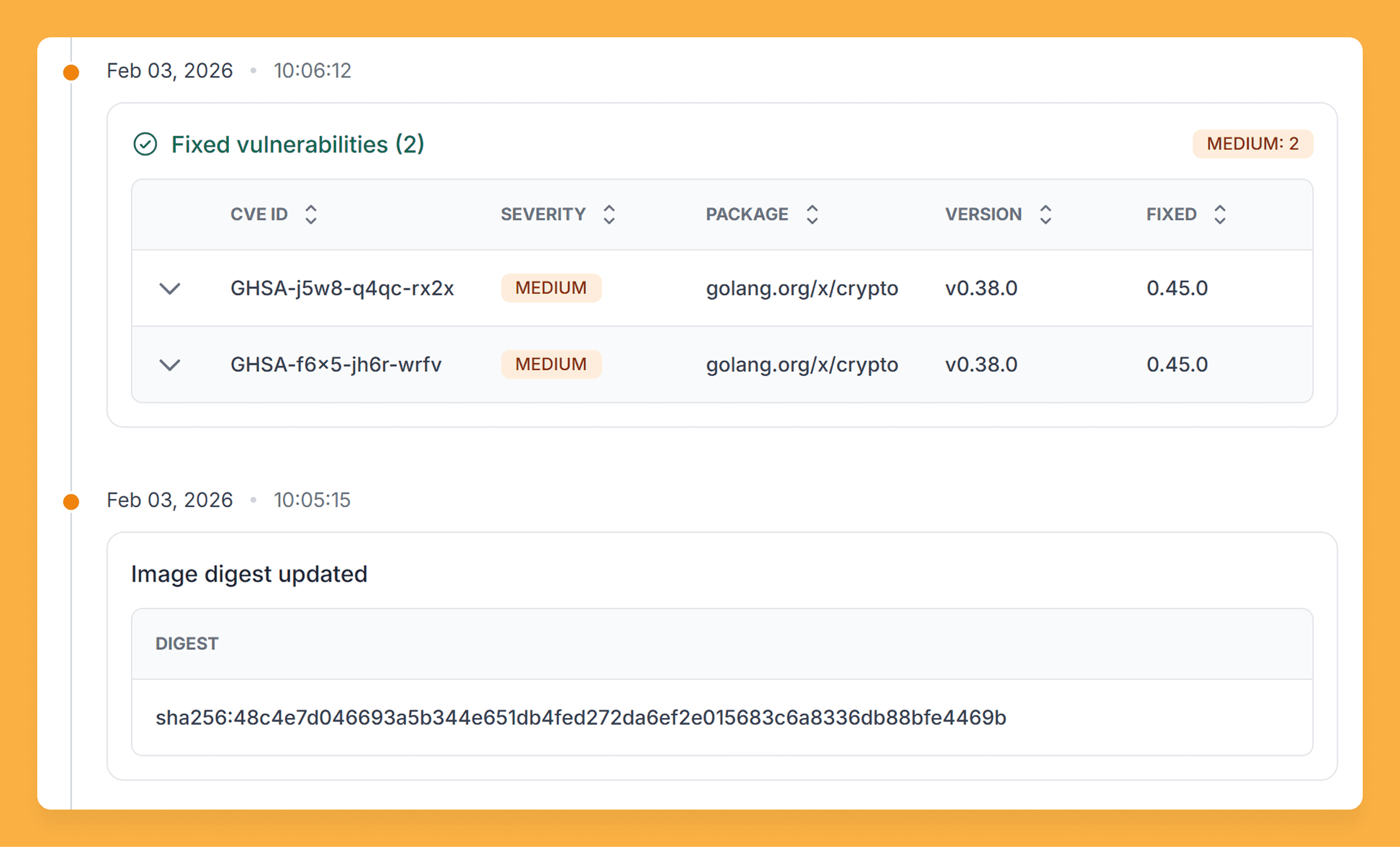
2) Timeline (Vulnerabilities and Fixes)
Here is the evidence that is usually distributed in spreadsheets.
The tab organizes the events of detection and correction of vulnerabilities with temporal reference and technical detail for auditing: severity, CVE identifier, affected package, and involved versions.
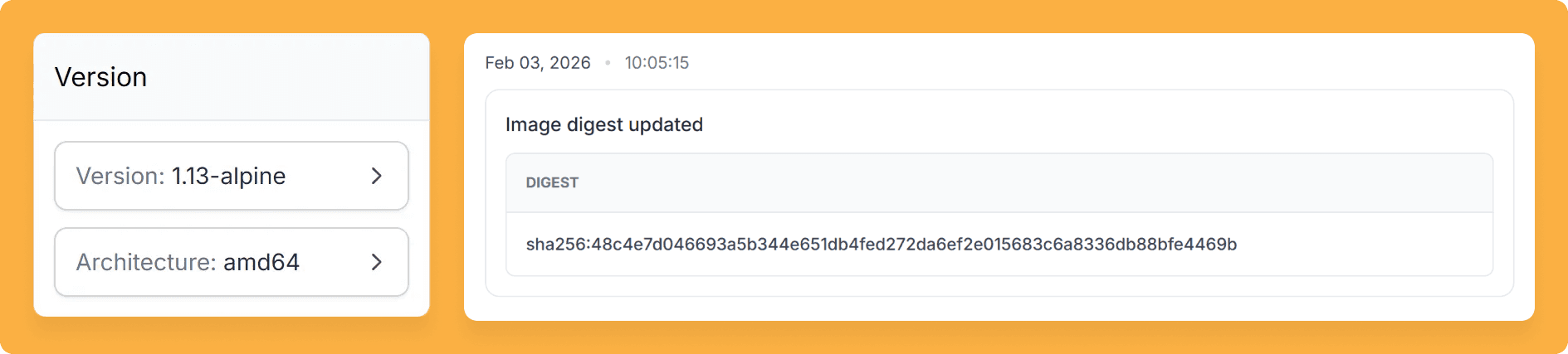
3) Artifact and Version (Digest)
This is the record that eliminates ambiguity.
The tab records each digest published with date and time, allowing tracking of which exact version of the artifact was in production at each moment. Each digest is immutable.
How to Get Started with the Changelog in Quor
To access the Changelog, the first step is to start using Quor on the trial. After creating the account, generating a token, and subscribing to an image, the Changelog tab becomes available on the image page in the catalog.
For configuration and usage details, refer to the Quor documentation.
With Quor, security becomes your competitive edge. See how in a personalized demo.